Delete account
If you are on a Basic (Free) plan or only have personal space and decide to cease using Matrx, you can delete your account permanently at any time.
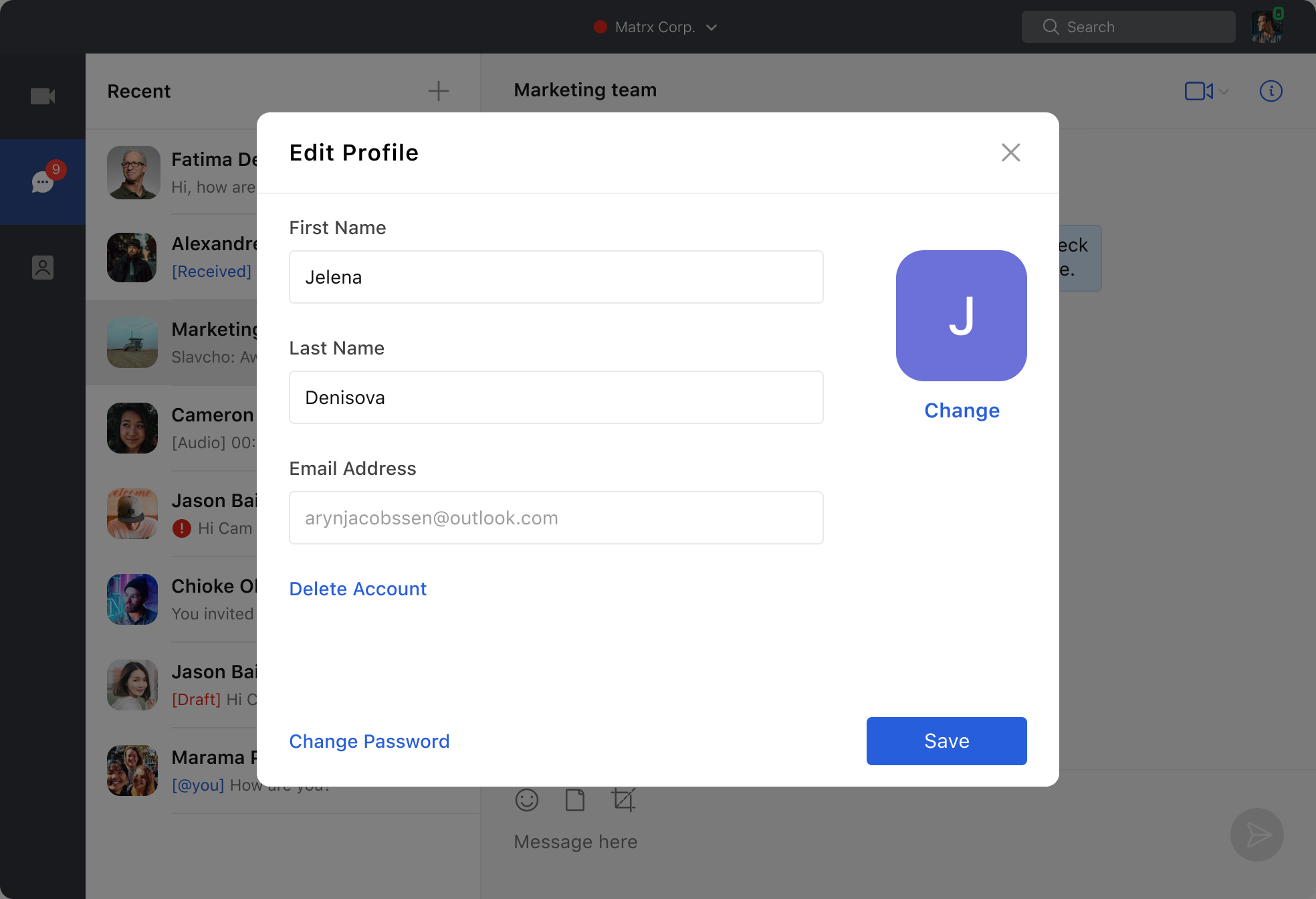
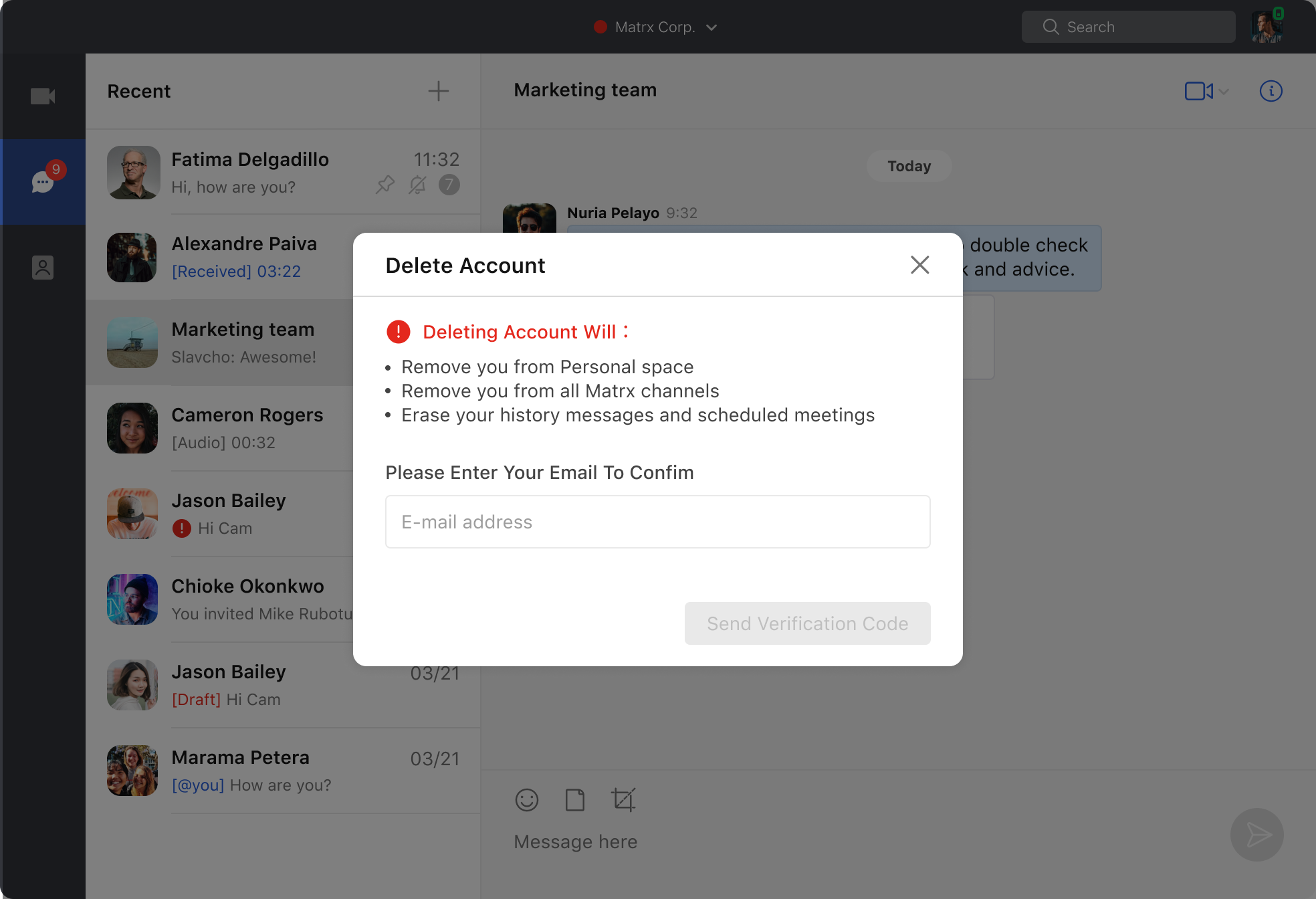
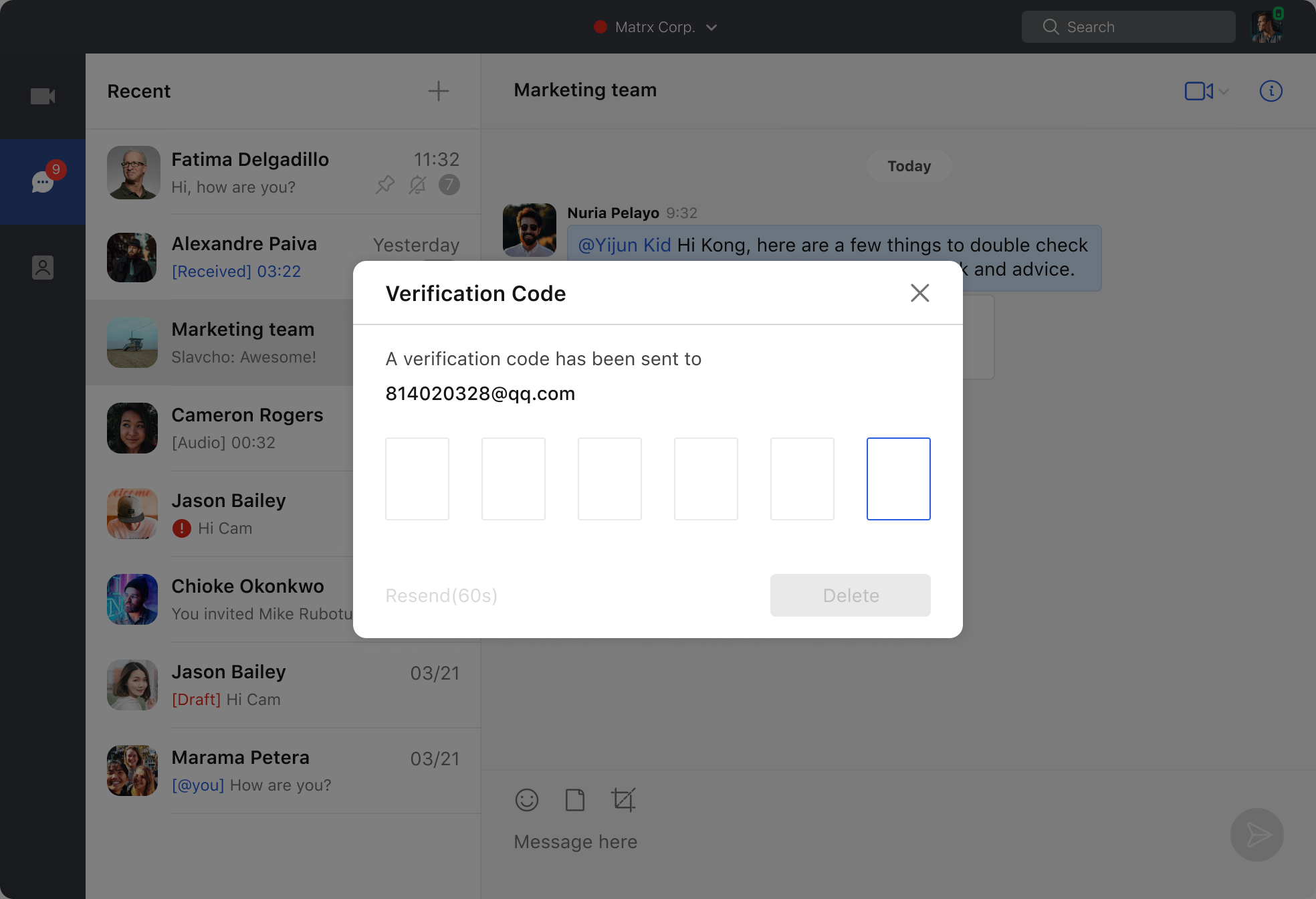
Mac and Windows
- Go to Profile > Delete Account to delete your account. If you have other enterprise workspaces, you can't see this entrance.
- After it's confirmed that you're the owner of the account through the verification code, you can delete your account permanently.
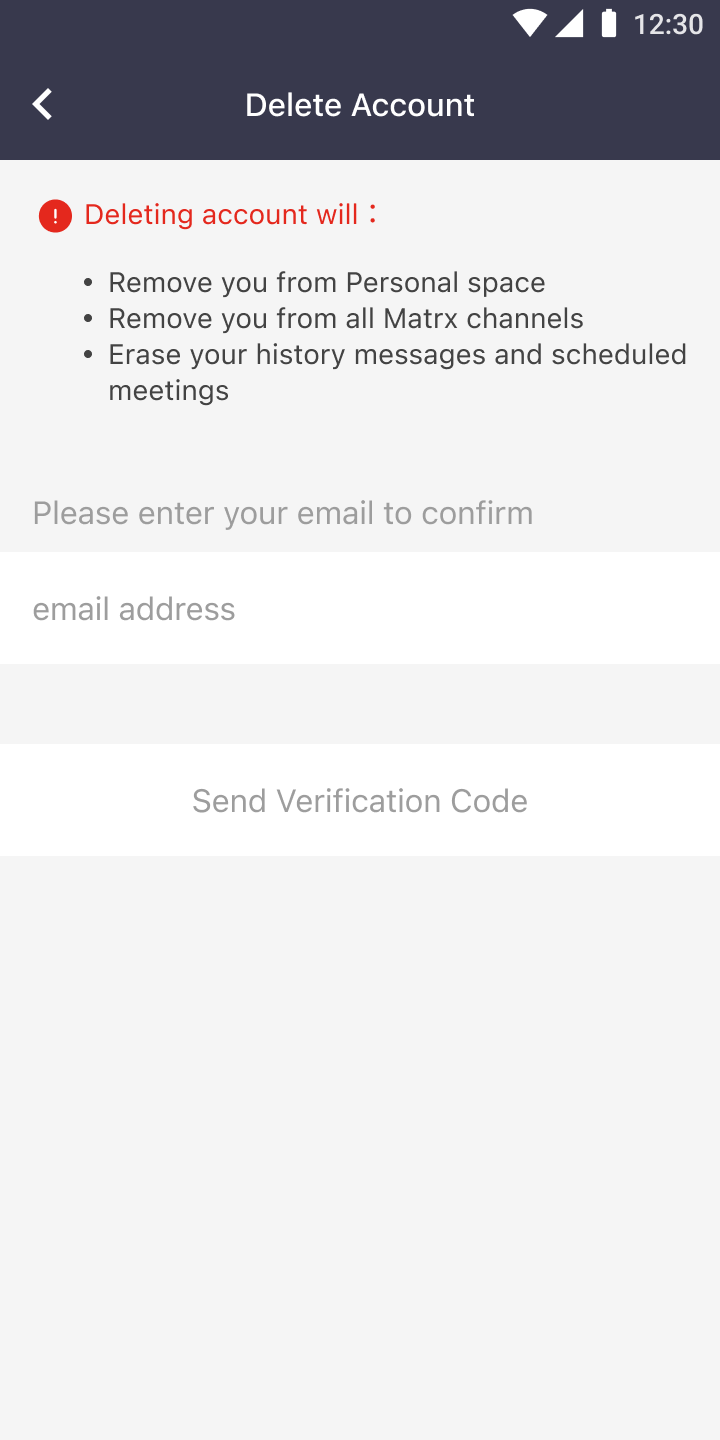
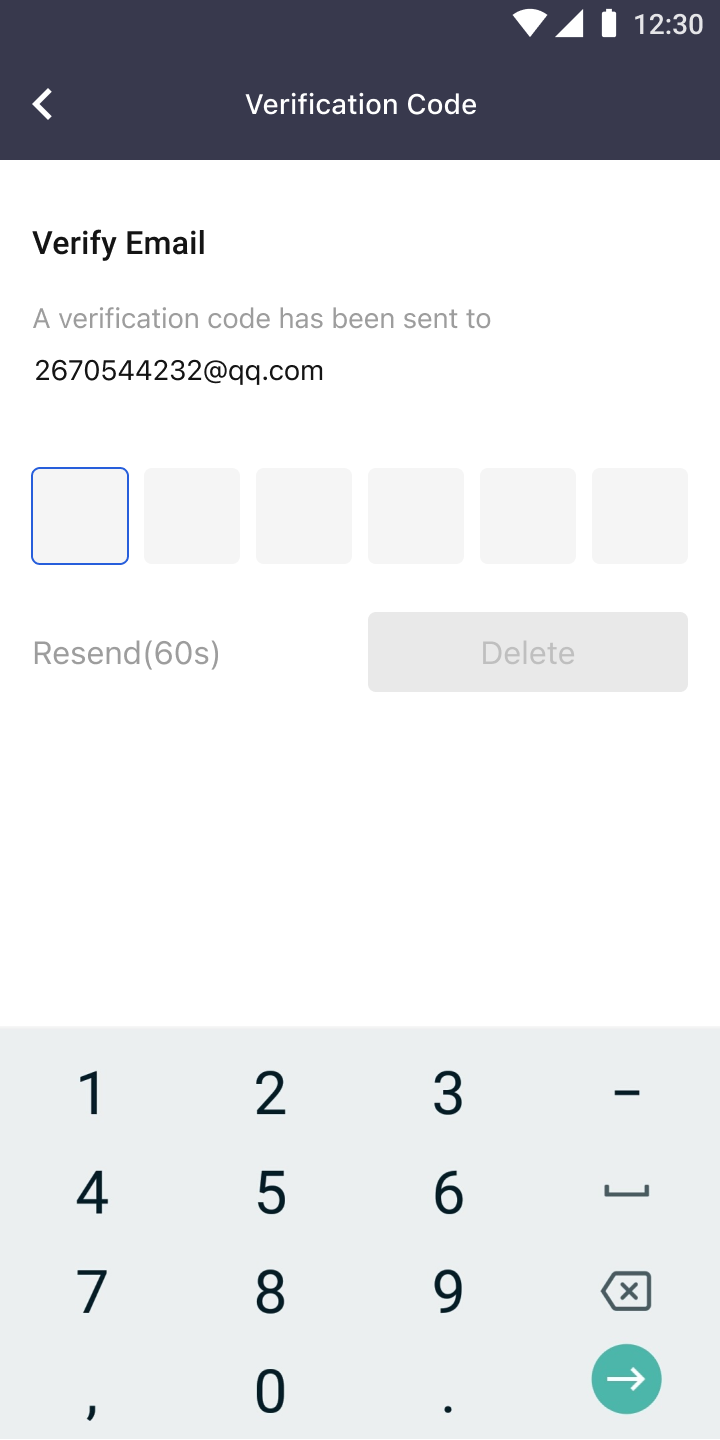
Android and iOS
1. Go to Profile > Delete Account to delete your account. If you have other enterprise workspaces, you can't see this entrance.
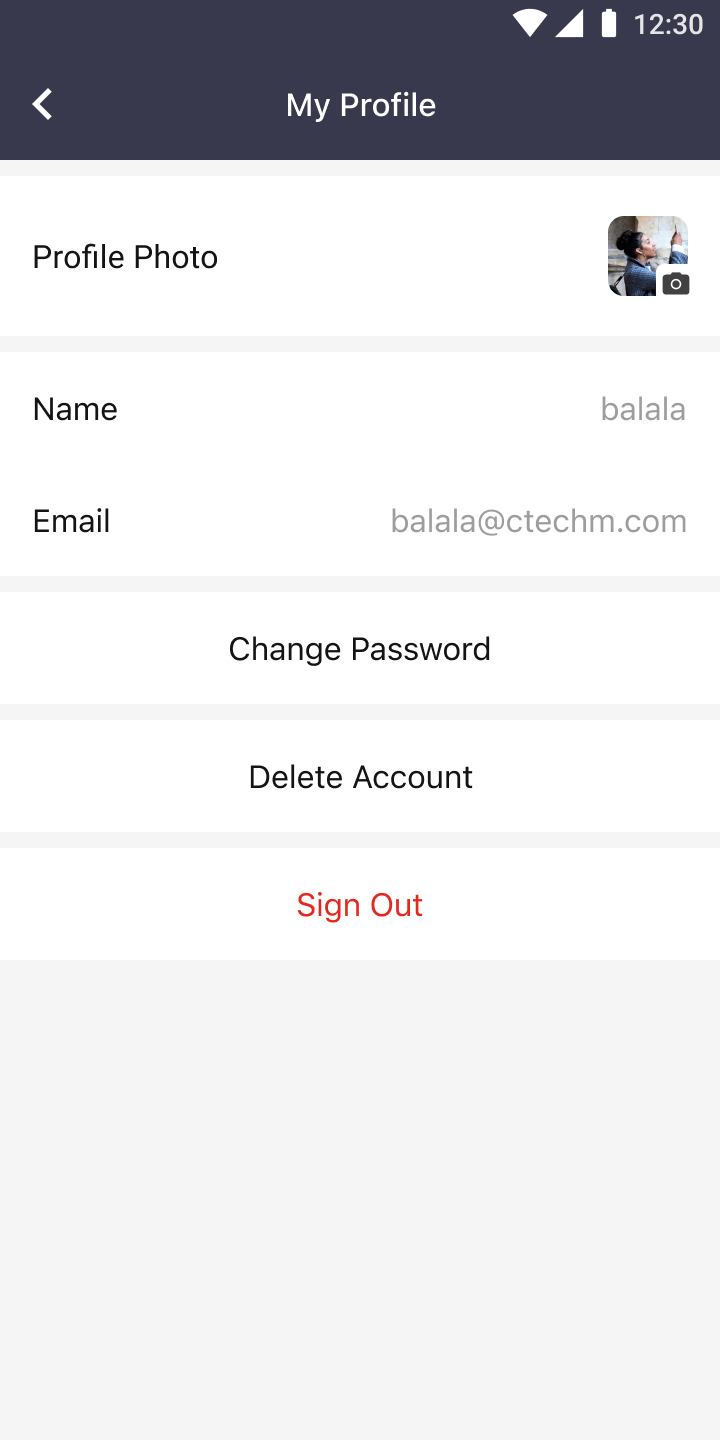
2. After it's confirmed that you're the owner of the account through the verification code, you can delete your account permanently.